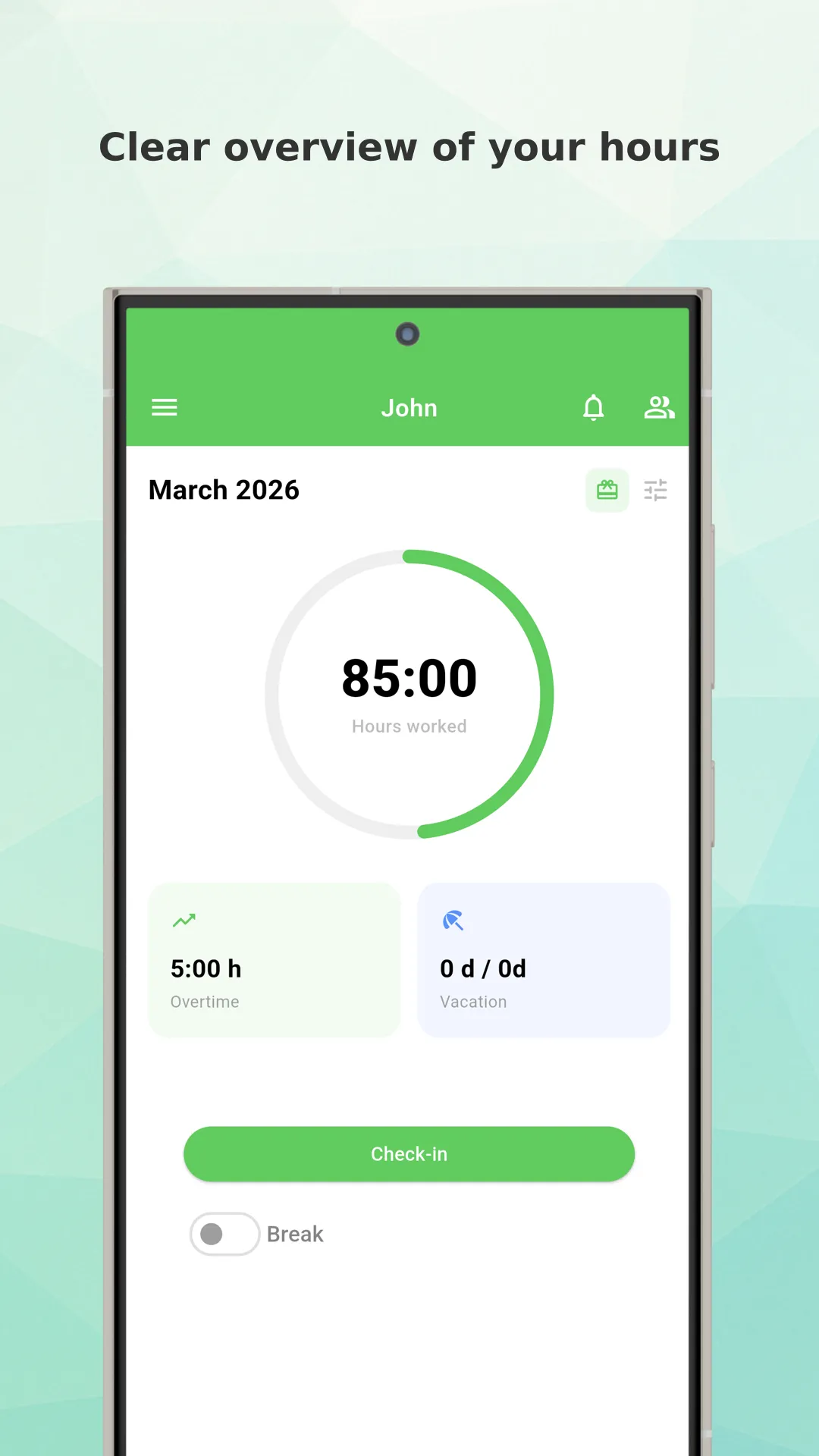
Better design
Working Timer’s New Design: Faster, Cleaner, and Easier Time Tracking
If you are looking for a simple and reliable way to track work hours, breaks, overtime, and attendance, the new Working Timer app design is here to make the experience even better. We have refreshed the app with a cleaner interface, improved navigation, and a more modern look, while keeping the powerful time tracking features that users already rely on every day.
The result is a better experience for employees, freelancers, shift workers, and teams who need a practical work time tracker app that is easy to use from the first tap.
A Fresh New Look for Easier Time Tracking
At Working Timer, our goal has always been simple: help users track working hours quickly and accurately. With the new design update, we focused on making the app feel more intuitive, more organized, and more pleasant to use throughout the day.
The updated design brings a more polished interface that helps users find what they need faster. Whether you want to start tracking time, review your attendance, manage breaks, or check your reports, everything now feels more accessible and streamlined.
This redesign is not just about appearance. It is about improving the full user experience of a modern employee time tracking app.
What Is New in the Working Timer Design?
The new Working Timer design introduces several visual and usability improvements that make daily time tracking more comfortable.
Cleaner and More Modern Interface
The app now has a more modern and professional appearance. Screens are cleaner, visual elements are better balanced, and important actions stand out more clearly. This helps reduce friction and makes it easier to use the app multiple times a day.
For users who track their hours every day, even small design improvements can make a big difference.
Improved Navigation
One of the most important goals of the redesign was to improve navigation. Users should be able to move through the app naturally, without wasting time searching for key functions.
With the new layout, it is easier to access features such as:
clock in and clock out
break tracking
attendance overview
work hour history
reports and summaries
settings and reminders
This makes Working Timer a stronger choice for anyone who needs an efficient time clock app for daily work.
Better Readability and Clearer Information
Time tracking apps should make important information obvious at a glance. That is why the new design also improves readability, spacing, and the overall structure of the screens.
Work duration, start and end times, breaks, and other key details are now easier to review quickly. This is especially useful for busy employees and managers who need fast access to important attendance data.
More Comfortable Everyday Use
A good redesign should not only look better. It should feel better in real use. The new Working Timer interface is designed to support quick actions and smoother daily workflows.
Whether you are tracking a standard shift, flexible work schedule, remote work, or overtime, the new app design helps reduce unnecessary taps and improves the overall experience.
Why We Redesigned Working Timer
The way people work is changing. Employees work in offices, from home, on the road, and across multiple shifts. Businesses also need better visibility into attendance, work hours, and employee activity.
To support these needs, Working Timer must continue to evolve. The new design reflects that vision. We wanted to create a time tracking experience that feels modern, reliable, and ready for today’s work environment.
This update is part of our ongoing effort to improve the app for both individual users and teams who depend on accurate work hours tracking.
Designed for Employees, Freelancers, and Teams
Working Timer is used by many different types of users, and the new design was created with flexibility in mind.
For Employees
Employees need a fast and simple way to track when work starts, when it ends, and how long breaks last. The updated design makes these actions clearer and easier, helping users record time without confusion.
For Freelancers
Freelancers often need a reliable work hour tracker to monitor billable time, project effort, and daily productivity. The new design helps keep time tracking straightforward, so users can focus more on their work and less on administration.
For Teams and Managers
For companies and team leaders, clear attendance records matter. Working Timer supports better employee time tracking and works well as part of a broader workforce management process. A cleaner interface improves adoption and helps users interact with the app more confidently.
The Benefits of a Better Time Tracking App Design
A design update is not just a visual refresh. It can improve real outcomes for users.
Here are some practical benefits of the new Working Timer design:
faster daily time entry
easier access to attendance information
clearer view of worked hours and breaks
more intuitive navigation
improved overall user satisfaction
more modern and trustworthy app experience
These improvements make Working Timer a better solution for anyone searching for an attendance tracker app or a simple way to monitor working time.
Working Timer Still Offers the Features Users Love
While the design has been updated, Working Timer still keeps the core features that users depend on. Depending on how you use the app, these can include tools for time tracking, attendance management, break tracking, reports, reminders, and more.
The redesign makes these features easier to access and more pleasant to use, without removing the simplicity that makes the app practical for everyday work.
This balance between simplicity and functionality is one of the reasons why Working Timer continues to stand out as a dependable time tracking app for employees.
A Better Experience Across Daily Workflows
The new Working Timer app design supports the full daily workflow of tracking work time.
From starting the day, logging breaks, reviewing hours, and checking attendance history, users can now move through the app with less friction. A better structure also helps new users understand the app more quickly, which is important for teams onboarding multiple employees.
This is especially valuable for businesses that need an easy-to-adopt employee attendance app with minimal learning curve.
Built for the Future
This redesign is also an important step toward the future of Working Timer. A stronger design foundation allows us to keep improving the app and introduce future enhancements more effectively.
We want Working Timer to remain a practical and modern choice for anyone who needs dependable time and attendance tracking. The new design helps us move in that direction while giving current users a better experience right now.
Try the New Working Timer Design
The new design for Working Timer is built to help users save time, reduce friction, and enjoy a smoother daily workflow. It is cleaner, easier to navigate, and better suited for modern work habits.
If you already use Working Timer, we hope you enjoy the refreshed experience. If you are new to the app and need a simple solution for tracking work hours, attendance, breaks, and overtime, now is a great time to try it.
Working Timer continues to grow and improve, and this new design is one more step toward making time tracking easier for everyone.